Zoom on every click
Stays zoomed while you work, glides to nearby clicks and eases to far ones. No jumping back to full screen between clicks.
Record any web page in Chrome. Cursorzoom zooms into every click, glides between them and hands you a polished MP4. No editing needed.
One click-through, recorded once: what a normal screen recorder gives you, and what Cursorzoom exports before you touch the editor.
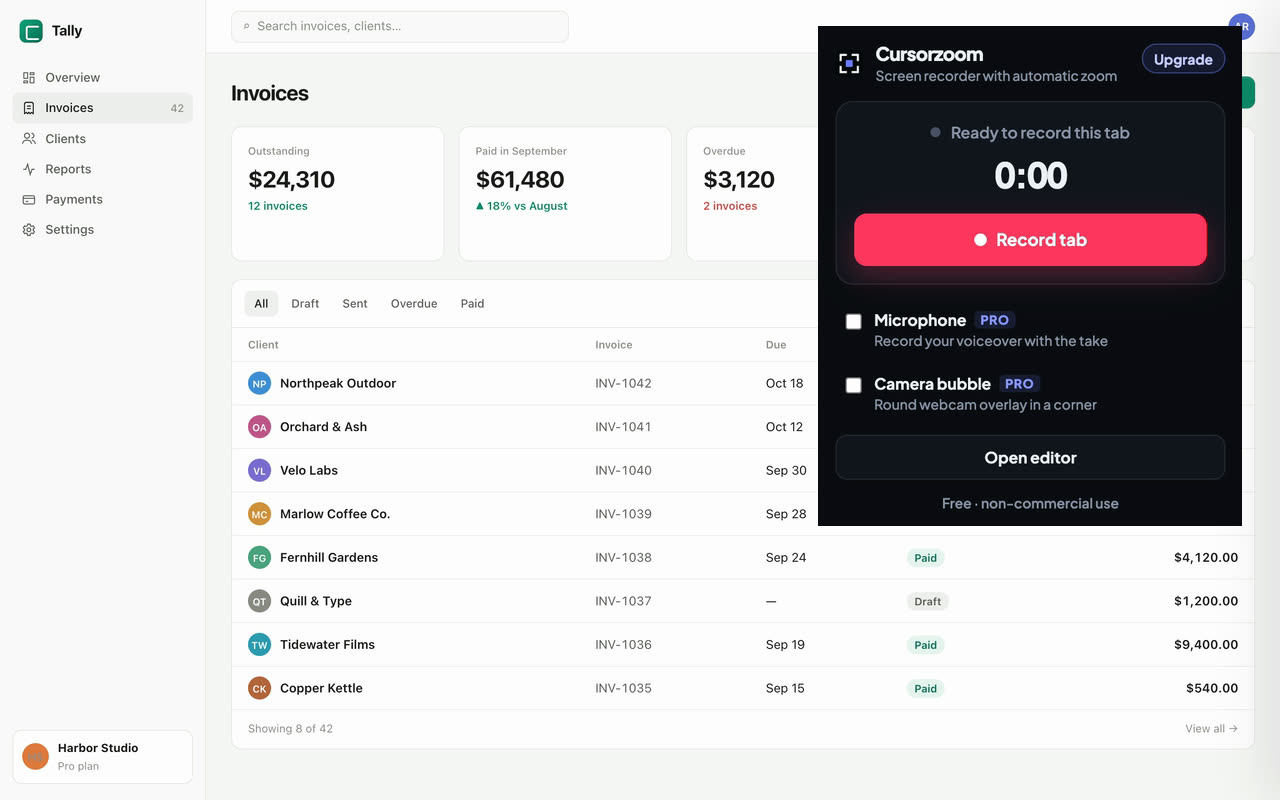
Open the page you want to show, click Cursorzoom and press Record. Click through your demo the way you normally would.
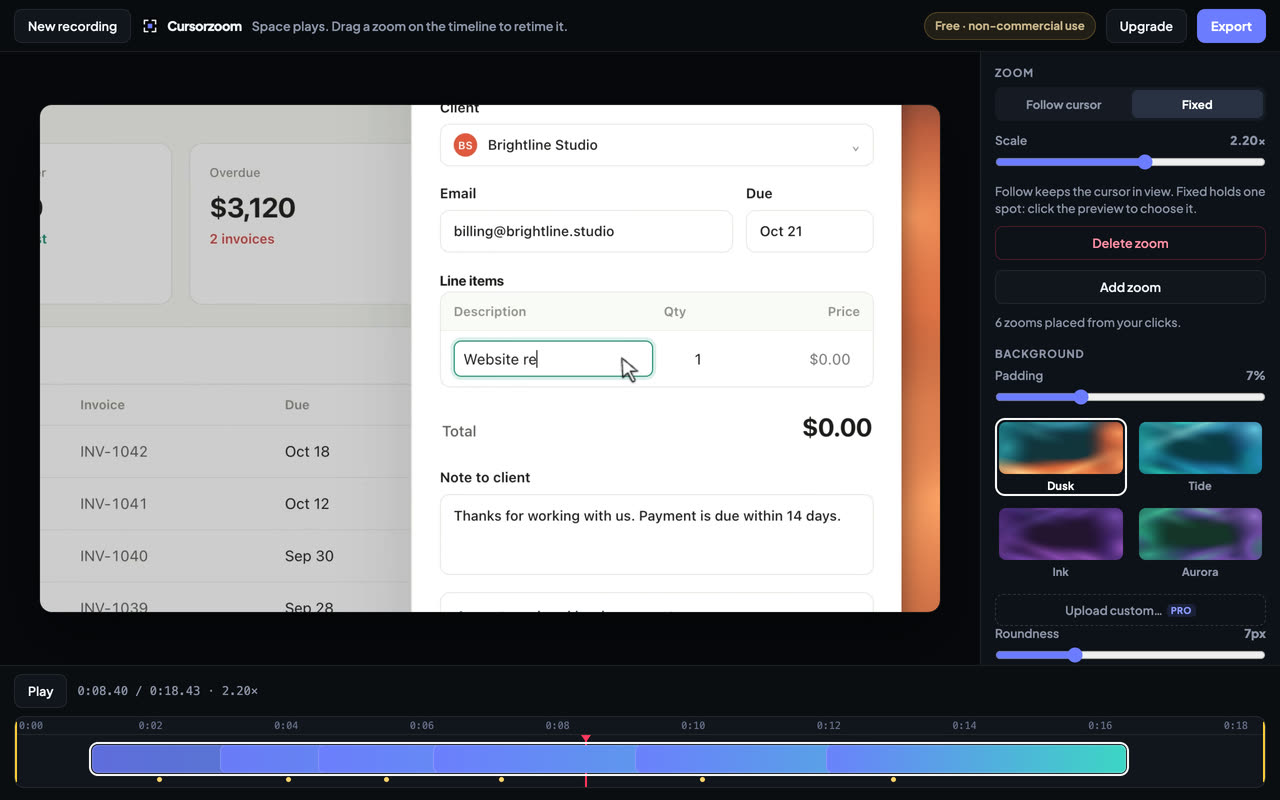
Your take opens in the editor with a zoom on every click. Trim the ends, retime a zoom, pick a background, or change nothing.
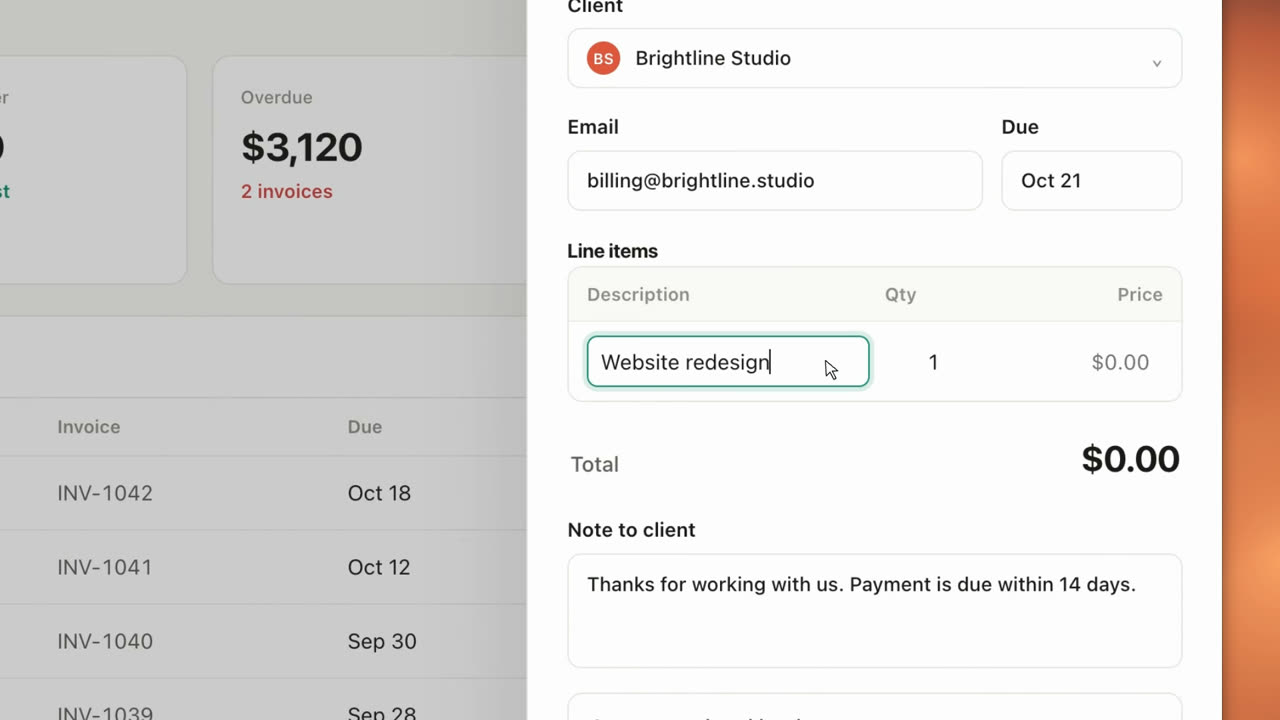
Get a 60 fps MP4, rendered faster than real time on your own computer. Ready for your site, docs, X or LinkedIn.
Stays zoomed while you work, glides to nearby clicks and eases to far ones. No jumping back to full screen between clicks.
Your real pointer never shows up in the video. A smooth cursor with a soft click ripple takes its place.
Cursorzoom records the tab at your screen’s full resolution, so small UI text stays crisp at 2× zoom.
Cut the start and end, drag zooms on the timeline, follow the cursor or hold one spot. Four backgrounds, or your own with Pro.
H.264 at 60 fps, up to 4K with Pro. It renders on your own machine, usually several times faster than the take is long.
Recording, editing and export all happen in your browser. Your videos are never uploaded, and you don’t need an account.
No subscription. Pro is a one-time license for one person.
Everything you need for personal and non-commercial videos.
For work: client demos, product launches, docs and ads.
Payments by Paddle (merchant of record). Your license key appears right after payment. Refund policy.
The browser tab you start it on: the page itself, never your toolbar, other tabs or desktop. It keeps following clicks if you move to another page on the same site.
No. Recording, editing and export run in your browser, and the file is saved straight to your computer. Cursorzoom has no video servers and no analytics. See the privacy policy.
Download Cursorzoom and add it to Chrome, Edge or Brave in under a minute. A Chrome Web Store listing is on the way.
Free is for non-commercial use. Videos for clients, your employer, paid content or ads need Pro.
After you pay, the checkout page shows your license key and turns Pro on in that browser. To use Pro in another browser you use, click Upgrade in Cursorzoom and paste the key. Lost it? Get it again with your email and order number.
No. You pay $79 once and keep Pro. If Cursorzoom doesn’t work in your browser, you can ask for a refund within 14 days; see the refund policy.
Chrome, Edge and Brave (version 116 or later) on macOS, Windows and Linux. Firefox and Safari are not supported.